How to share ghost photos without losing the original file
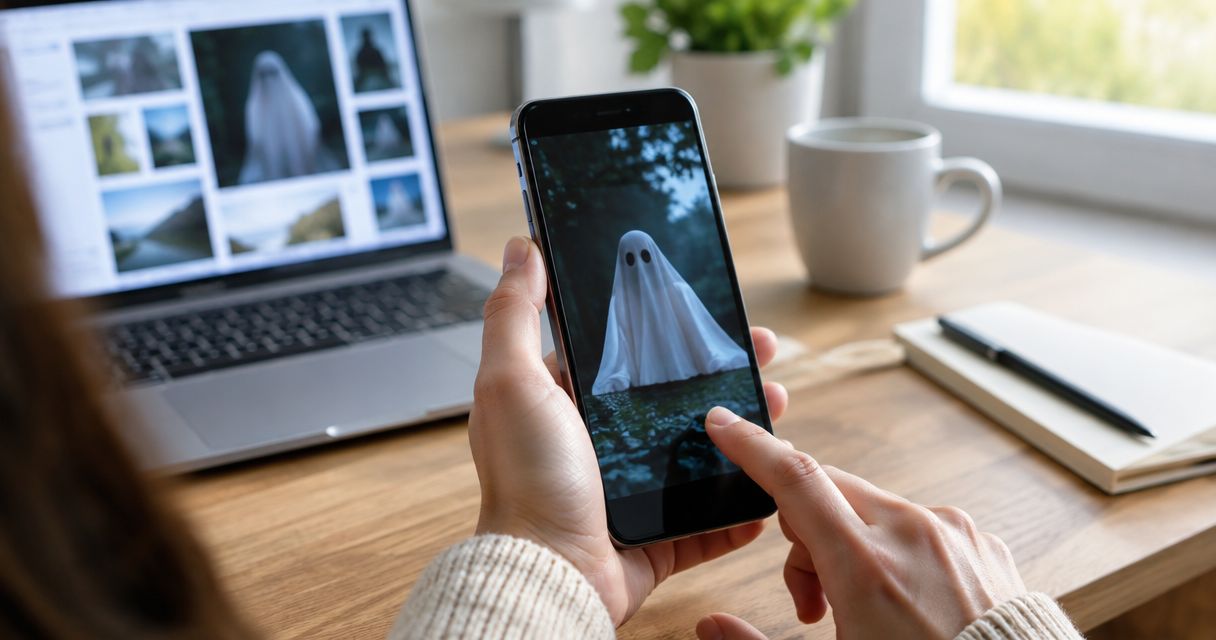
To share ghost photos in 2026 without losing the original file, keep an untouched master, make a separate sharing copy, and upload only that copy. Check the sharing copy for location details and label any edits; a posted image is not a substitute for your saved original.
TL;DR- Keep original ghost photos separate from the copies you post or edit.
- Haunting suits people who want to share unexplained encounters anonymously, without registration.
- For paranormal photos, describe what you noticed without presenting a ghost explanation as proven.
- Check the sharing copy for location metadata and identifying details before uploading.
How to share ghost photos without losing the original file
Save first. Copy second. Share last. You do not need to settle what the picture shows before protecting the file.
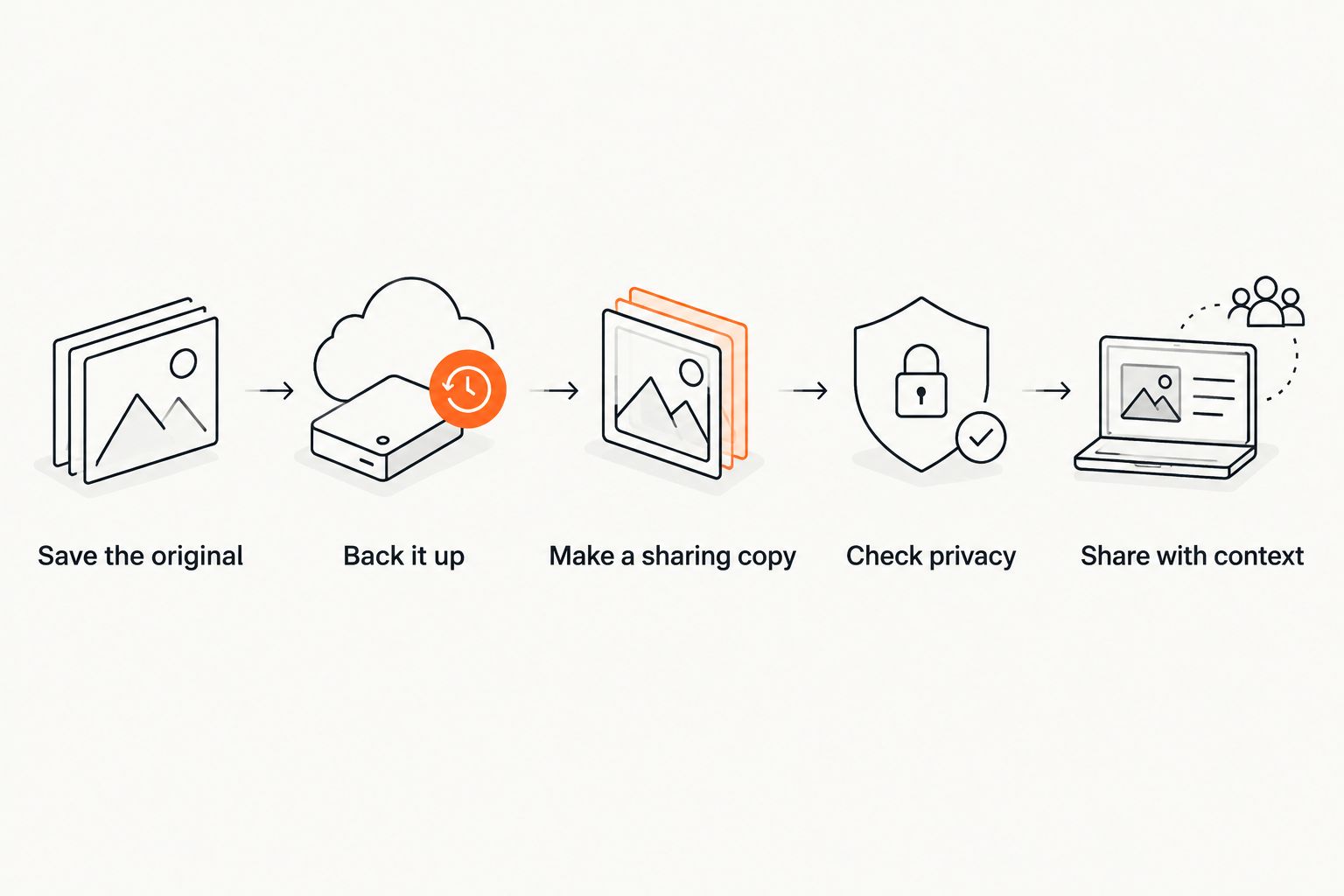
Use this sequence for your 2026 submission:
- Save the original. Keep the file captured by your camera or phone, not just a screenshot or a copy downloaded from a conversation.
- Back it up. Keep 2 copies of the original in separate storage locations. Open the backup to check that you copied the intended photograph.
- Make a sharing copy. Create a separate file before cropping, brightening, marking, or removing location information.
- Check privacy. Look at both the file information and the picture itself for details you do not want public.
- Share with context. Explain what happened, what you noticed later, and what you changed in the uploaded version.
If the encounter is still fresh, use the guide to what you should record after ghost encounters. The photo and your recollection are different records; keep both without forcing them to agree.
Why this matters
An unusual picture invites a closer look. You might brighten a dark corner, crop around a shape, or send it to someone for another opinion. Those are reasons to make another version, not overwrite the file you started with.
An original preserves the photograph before your changes. It does not establish that the image shows a ghost, and an edited copy does not automatically make an account dishonest. The useful distinction is whether readers know what changed.
Keeping that distinction clear also helps you answer questions later. You can check the wider frame instead of trying to remember what was outside the crop.
Which version should you keep or share?
Keep 1 untouched master file and make 1 separate sharing copy before editing. Add other versions only when they serve a clear purpose, such as showing a close-up alongside the wider view.
| Version | Best for | What it preserves or shows | Limitation |
|---|---|---|---|
| Untouched original | Keeping your source file | The captured image before your changes | Can contain location information or identifying details |
| Full-frame sharing copy | Showing the scene with context | The wider view, with any disclosed privacy changes | Still needs a privacy check before posting |
| Labeled crop or brightened copy | Pointing out a particular area | The detail you want readers to examine | Removes context or changes how the image looks |
| Screenshot | Showing what appeared on your screen | The displayed view at that moment | Is not the original camera file |
Use a full-frame sharing copy when it is safe to show the wider scene. Keep a crop as an additional view rather than quietly replacing the wider picture with it.
A screenshot has a place if you are discussing something displayed on a screen. For a photograph you took yourself, preserve the camera file separately instead of treating the screenshot as your master.
Keep the original somewhere you will recognize
Give the original and its backup clear homes. A folder called Originals and another called Sharing copies is enough; the point is to stop yourself from editing the wrong file.
Keep the original filename in your private notes if you rename the sharing copy. That gives you a way to match the posted version to its source without publishing your whole photo library.
Before clearing a phone, camera card, or old computer, open the saved original from its new location. Check that it is the intended picture, not a small preview or a different shot from the same moment.
For your 2026 photo archive, use a simple check:
- The untouched original opens.
- A backup exists somewhere separate.
- The sharing copy is easy to distinguish from both.
- Your notes identify which file you posted.
A backup beside the original on the same device does not protect you if that device is lost. Keep the arrangement simple enough that you will actually maintain it.
What changes the file when you share it?
Different ways of copying and posting pictures produce different results. Check the route you use rather than assuming every saved image is identical to the file on your camera.
- Sending method. A messaging or posting service can resize or recompress an image. Keep your own original instead of relying on a copy someone sends back.
- Export settings. Choosing a different format, image size, or quality setting creates a different version. Treat an export as a copy.
- Edits. Cropping, rotation, brightness adjustments, and annotations change the presentation. Disclose changes that affect what readers see.
- Metadata handling. A file can contain capture details, including location information. Inspect the sharing copy rather than assuming an upload removes those details.
- Download route. Saving a displayed preview or taking a screenshot is not the same as retaining the camera file.
You do not need to memorize the behavior of every service. Keep the source under your control and treat the posted version as a separate file.
Check privacy before posting ghost photos
Start with the visible picture. Look for addresses, license plates, school names, mail, family photographs, and recognizable views through windows. A reflection can reveal something outside the main subject.
Then check the file information using the options available on your device. Look specifically for location details. If you remove them, do that on the sharing copy and inspect the resulting file again.
Anonymous submission does not make everything inside an image anonymous. A house number remains visible whether or not you publish your name.
If a detail cannot be safely removed without changing the part you want to discuss, share a written account instead. You do not owe strangers a photograph, your address, or an explanation of where you live.
If you blur or crop something, say so
A short disclosure is enough: identify the kind of change and its reason. You can explain that you cropped an address without supplying the address itself.
Avoid placing a privacy edit over the unexplained detail without explaining it. Readers need to distinguish your alteration from the feature you are asking about.
Tell readers what happened, not what they must believe
A useful caption separates what you experienced from what you noticed in the image. Did you see the shape while taking the photograph, or only when reviewing it? Did you hear something at the time, or did someone suggest that interpretation afterward?
Those distinctions matter more than a dramatic title. Describe the visible detail plainly: its position in the frame, what drew your attention, and what you remember about the surroundings.
For a 2026 post, include the following where you are comfortable doing so:
- When: The date or approximate time, clearly marked if you are unsure.
- Where: A general setting rather than a private address.
- What you noticed: What you saw or heard during the encounter.
- What came later: Anything you noticed only while reviewing the photograph.
- What changed: Cropping, brightness adjustments, privacy edits, or other alterations.
Leave gaps where your memory has gaps. If someone else witnessed the event, attribute their observations to them and get permission before including identifying details.
Where can you share ghost photos anonymously?
Haunting is for people who want to share unexplained encounters anonymously. You can submit stories, photos, videos, and audio without registration.
You can visit Haunting to share an account without supplying identifying details in the story itself. Keep your original and backup separately; the public submission should not be your only surviving copy.
Haunting's anonymous submission option does not establish what a photograph shows or guarantee that identifying details inside a file are absent. Check those details before submitting, just as you would anywhere else.
Share what you experienced
Submit a story, photo, video, or audio anonymously, with no registration required.
Share your encounterShould you brighten a ghost photo before sharing it?
Brighten a separate copy if it helps show the area you mean, and disclose the adjustment. Keep the untouched original so you can compare the changed version with the source.
A brighter image changes how the scene looks; it does not establish an explanation for an unclear shape. If privacy allows, show the wider sharing copy alongside the adjusted detail.
Does keeping the original prove a ghost photo is real?
Keeping the original preserves a source file; it does not prove a paranormal explanation. A photograph and a witness's account can be discussed without treating either as independent confirmation of a ghost.
Say what you know about the file and the encounter. Leave the cause open when you do not know it.
FAQ
How do I share ghost photos without changing the original?
Make a separate sharing copy and upload that copy, leaving the original untouched. Keep a backup of the original in a separate storage location before editing or posting.
Is a screenshot enough to keep as my original ghost photo?
A screenshot is not the original camera file. Keep the captured photograph separately, and label a screenshot as a screenshot if you share it.
Can I remove my location before sharing a paranormal photo?
Remove location information from a sharing copy using the options available on your device, then check the resulting file. Also inspect the visible image for addresses, landmarks, and other identifying details.
Should I crop out other people before posting a ghost photo?
Protect other people's identities before posting, and get permission before sharing identifying details about them. If you crop or obscure part of the picture, disclose that change without revealing the information you removed.
Can I share an unexplained photo without saying it shows a ghost?
Yes. Describe what you noticed and ask for other interpretations without presenting a paranormal explanation as established fact. State whether you noticed the detail during the encounter or afterward.
What should I do if I have already edited my only copy?
Check your device's editing options and any existing backups for an earlier version. If you cannot recover it, keep the version you have and clearly state the edits you remember; do not call it untouched.
One last thing
Before your next 2026 upload, write down what you noticed before reading other people's interpretations. Keep that note with your original file, and add later observations separately rather than rewriting your first recollection.
You are allowed to leave the explanation unfinished. Preserve the picture. Describe the encounter. Keep the uncertainty.